

The new BLUPHORIA app from your favourite spa - use self-check-out now
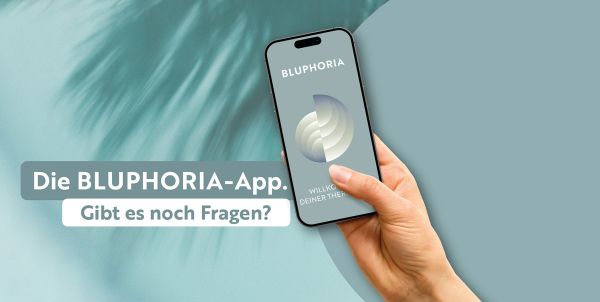
Discover the new era of wellbeing with the new BLUPHORIA app.
Book. Dive in. Relax. Your wellbeing experience at the Thermen & Badewelt Sinsheim is now this convenient with the new BLUPHORIA app.
Download our new app now for your Android or Apple device.
Check out more relaxed from the Palmenparadies with Self-Check Out
MyBLUPHORIA Member
Use our self-checkout in the new BLUPHORIA app and finish your spa visit even more conveniently.
Here's how:
- Tap 'Pay Now' on the app's home screen.
- The app automatically recognises all transponders linked to your booking.
- Choose your preferred payment method: credit card, PayPal, voucher, or spa card.
- You can pay for your own transponder or optionally add others. It's that easy to treat your friends to a drink.
- Once you've paid for all services on your transponder, you can check out via our fast lane in the Palmenparadies and the sports pool. Hard transponders must be thrown into the disposer at the fast lane to open the doors.
Not registered yet?
Use our self-check out in the new BLUPHORIA app and finish your spa visit even more conveniently.
Here's how:
- Download our new app now for your Android or Apple device.
- Log in with your MyParadise account or create a new one.
- Confirm your registration via email or SMS.
- Now click on 'Pay' on the app's home screen.
- Add the transponders you want to settle.
- Choose your preferred payment method: credit card, PayPal, voucher, spa card.
- Once you've paid for all services on your transponder, you can check out via our Fast-Lane at the Palm Paradise and the Sports Pool. Fixed transponders need to be thrown into the Fast-Lane slot to open the doors.
Download the new app now
Download BLUPHORIA today, enhance your spa experience and enjoy wellness whenever and wherever you want!


You can find the key information here shortly
As a MyBLUPHORIA member, you can pay for services you've booked on your transponder at the venue through the app. Once you've checked in, a Pay Now button will appear on the app's home screen. The app automatically recognises all transponders linked to your booking and shows all booked services in the cart.
You can now settle the outstanding services and will receive a payment receipt by email.
You can also add more transponders when making the additional payment. Just enter the desired transponder number.
For the top-up via the Bluphoria app, you can use the following payment methods:
- Credit card
- Paypal
- Spa card
- Vouchers
Once your charges are settled, you can simply scan your transponder wristband at the Fast Lane. This lets you check out yourself. The door will open afterwards and you can leave our spa. Please make sure to settle all outstanding charges before checking out via the Fast Lane. Of course, you can also use our regular tills as usual.
No, the feature can also be used if the check-in was done at the regular till. The only requirements are using the app and having a MyBluphoria customer account. We don't offer this feature in guest mode.
When you open the function in the app, all transponders linked to the booking are automatically listed. By clicking the X next to the transponder number, you can exclude transponders from the payment process. If you open the function again later, all remaining transponders with chargeable services will be listed.
Questions & answers about the BLUPHORIA-App